1. Inside myQuiz go to Summative Exams
2. Check if the exam appears on My summative exams table

3. If that’s not the case, take in consideration the informational note

4. Click Open on the desired exam

5. Then click on the button Start Exam, to start the exam

6. The time limit for the exam will be displayed on the top of the page

7. Answer each question and click Next

8. In the last question of the exam, click Finish, to conclude the exam

9. Make sure this is the action you want to take, as it’s non reversible
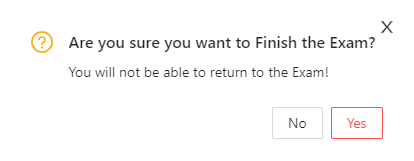
10. After clicking Yes, your exam will be submitted and you will be prompted to return to the Summative Exams page
